Digistore 4.1
MailBeez workswith DigiStore 4.1, running on php 5.3+
If MailBeez is not included in your DigiStore 4.1+ release please follow these instructions
The installation is straight forward and can be done in a couple of minutes by following these two steps:
- copy new files
- modify existing files
Step 1 – copy new files
Tip
If not done yet please download and unzip the installer package (.zip) on your computer: Download
The “Quickstart Package” Zip-File contains several folders. The Folder “catalog” contains the files and folders you need to copy into your Shop Root.
Copy following file and folder to your Shop Root (where your index.php is located)
catalog/admin/mailbeez.php -> admin/mailbeez.php
catalog/mailhive -> mailhive (folder)
catalog/mailhive.php -> mailhive.php
Step 2 – modify existing files
1. Add a menu entry
located and open the file
admin/includes/boxes/email.php
find
'<a href="' . tep_href_link(FILENAME_CONFIGURATION, 'gID=12', 'NONSSL') . '" class="menuBoxContentLink">' . BOX_CONFIGURATION_EMAIL_OPTIONS . '</a>');
replace with
 '<a href="' . tep_href_link(FILENAME_CONFIGURATION, 'gID=12', 'NONSSL') . '" class="menuBoxContentLink">' . BOX_CONFIGURATION_EMAIL_OPTIONS . '</a>'.
 '<a href="' . tep_href_link('mailbeez.php', '', 'NONSSL') . '" class="menuBoxContentLink">Mail Beez</a>');
this will add the menu-entry “MailBeez” to your Email-Menu item.
Feel free to place this link whereever you want.
Run Installation
Just click on the new menu item to open the MailBeez Installer:
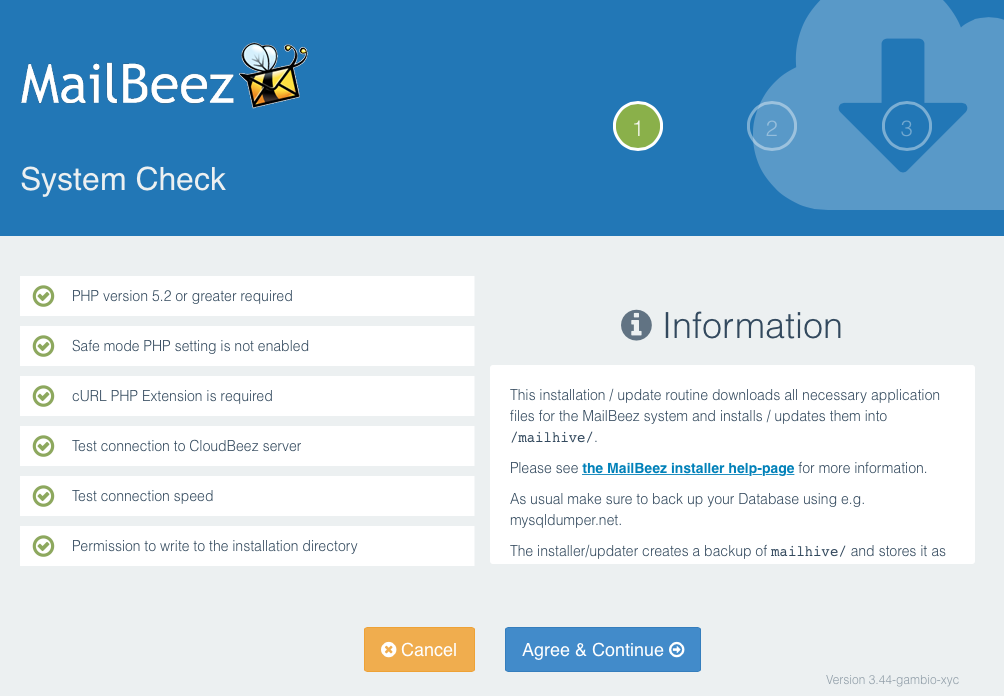
The installer guides you through the process and stops if there are any issues.