No Purchase Advanced
Plan availability
This highly useful eCommerce email add-on gives you the tools to automatically email customers who created an account, but did not purchase from your store, at the same time offering them a personalized discount coupon to tempt them into making their first purchase.
Check out Abandoned Cart Advanced how to follow up on open carts of existing customers having ordered before.
Top features of No Purchase Advanced
- Finds and emails customers who set up an account but never placed an order
- Fully automated customer contact – just set and forget
- Time delay configurable multi-step emailing
- Entice non buying customers with a personalized offer coupon that can be set to increase in value in line with the multi step email process.
- Configurable to check for items in the customer’s shopping cart, allowing you to choose whether this group of customers will receive a coupon or not
Tip
Together with Abandoned Cart Advanced you can distinguish between customers w/o purchase and empty cart and customer w/o purchase but items in cart. To achieve this please activate the option Check For Empty Customer Basket and in Abandoned Cart Advanced deactivate the option Check for previous Orders.
With these settings the module "No Purchase Advanced" will only target potential customers with empty cart, while Abandoned Cart Advanced will follow up on any customer with products in cart.
Take a look at some more great features below - click to open!
Powerful campaigns to make customers place their first order.
This module generates fully configurable individual coupons – great to create a sense of urgency and also follow-up before expiry date (see also: Coupon Expiry Reminder).
Providing standard coupon codes is a broad sword approach which can leave you open to an unwanted viral effect if your coupon gets posted around the internet. To neatly avoid this pitfall, the automatically created personalized coupons are making it impossible for other customers to use the same code and benefit from the offer.
Part of the MailBeez System
All MailBeez modules work together seamlessly and can access the powerful features of the MailBeez system:
- Edit the responsive email templates (What are Responsive Emails?) in the easy-to-use visual editor
- Extend the email template with personalized product recommendations , e.g. New Products, XSell Products, Specials Products
- Use the MailBeez Analytics Advanced key metrics to optimize your campaigns
Make Hello, Hola – prepared for fully localization
For stores selling internationally, MailBeez provides serious adaptability, giving you the tools to fully localize the emails. (requires Multilanguage Extension with Template Manager)
Easier Testing
The function for sending test emails allows you to check all email templates quickly and easily. And the simulation mode allows you to test in advance which emails would be sent to your customers once you switch into production mode.
Responsive Emails
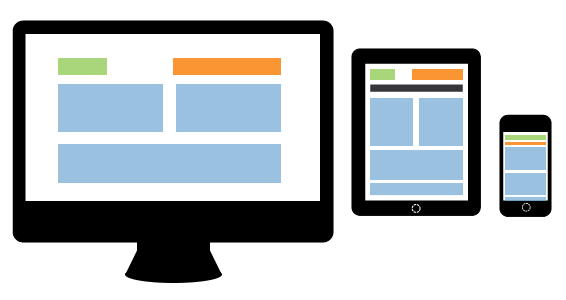 In combination with the responsive template manager you are able to select a responsive email template for this module and adopt it to your design.
You can edit the text without any knowledge of html thanks to the visual editor. What are responsive Emails?
See the results
Mailbeez is pre installed with some great reporting widgets, one of which is the Nopurchase-O-Meter, which easily allows you to see what percentage of not-yet-customers are placing an order after receiving this email campaign, right from within your store’s admin area. See how many customers this module is bringing back to your store!
Compatibility
-
 Gambio
GX2–GX5
Supported
-
 Modified Shop
1.x / 2.x / 3.x
Supported
-
 Zen Cart
1.3.x / 1.5.x / 2.x
Supported
-
osCommerce 2.x
-
MailBeez.io API V2Supported
Changelog
v5.5
01.10.2026
- New
- MailBeez V5 MAIA assistant
- Improved
- MailBeez V5 support
v5.41
08.06.2026
- Improved
- MailBeez V5 support
v5.4
19.05.2026
- Improved
- MailBeez V5 support
v5.3
11.03.2026
- Improved
- MailBeez V5 support
- New
- individual coupon expire days for each step
v5.2.3
17.11.2025
- Improved
- MailBeez V5 support
v5.2.2
07.11.2025
- Improved
- MailBeez V5 support for Gambio
v5.2.1
07.11.2025
- Improved
- MailBeez V5 support
v4.4.1
05.09.2025
- Improved
- fix language label
v4.4
12.08.2024
- Improved
- PHP8 refactoring
v4.3.3
29.07.2024
- Improved
- PHP8 refactoring
v4.3.2
15.01.2024
- Improved
- PHP8.2 refactoring
v4.3.1
03.11.2022
- Improved
- PHP8.1 refactoring
v4.3.0
14.10.2022
- Improved
- PHP8 refactoring
v4.2.0
21.04.2020
- Improved
- PHP7.4 refactoring
- Support for 4.0 Core Framework
v4.11
10.12.2018
- Bugfix
- undefined language constant
v4.10
09.11.2018
- Improved
- supporting new framework features
v4.01
26.09.2018
- Bugfix
- number of configured coupon expire days are not accepted
v4.0
24.09.2018
- Improved
- PHP7.2 refactoring
- Upgrade to 4.0 Pro Framework
v3.61
16.08.2018
- Bugfix
- module update method not called
v3.60
19.02.2018
- Improved
- chunk size configuration
v3.53
01.11.2017
- Improved
- refactoring
v3.52
04.10.2017
- Improved
- added batchsize to loop step
v3.51
10.02.2017
- Improved
- PHP7 compatibility
v3.5
26.09.2016
- New
- ready for MailBeez Analytics Pro
v3.1
14.06.2016
- New
- support for preheader
- Improved
- PHP7 refactoring
v3.01
28.04.2015
- Improved
- Gambio 2.3 ready
v3.0
03.11.2014
- New
- CloudBeez ready
V2.3
- Improved
- mailchimp ready
- general improvements
- MailBeez V2.7 compatiblity