GDPR Consent
The GDPR Consent module allows you to comply with requirements for custom consents, which might be necessary in some regions.
All consent activites of customers are logged. The log-data can be accessed using the GDPR Export System.
Configuration of GDPR consent types
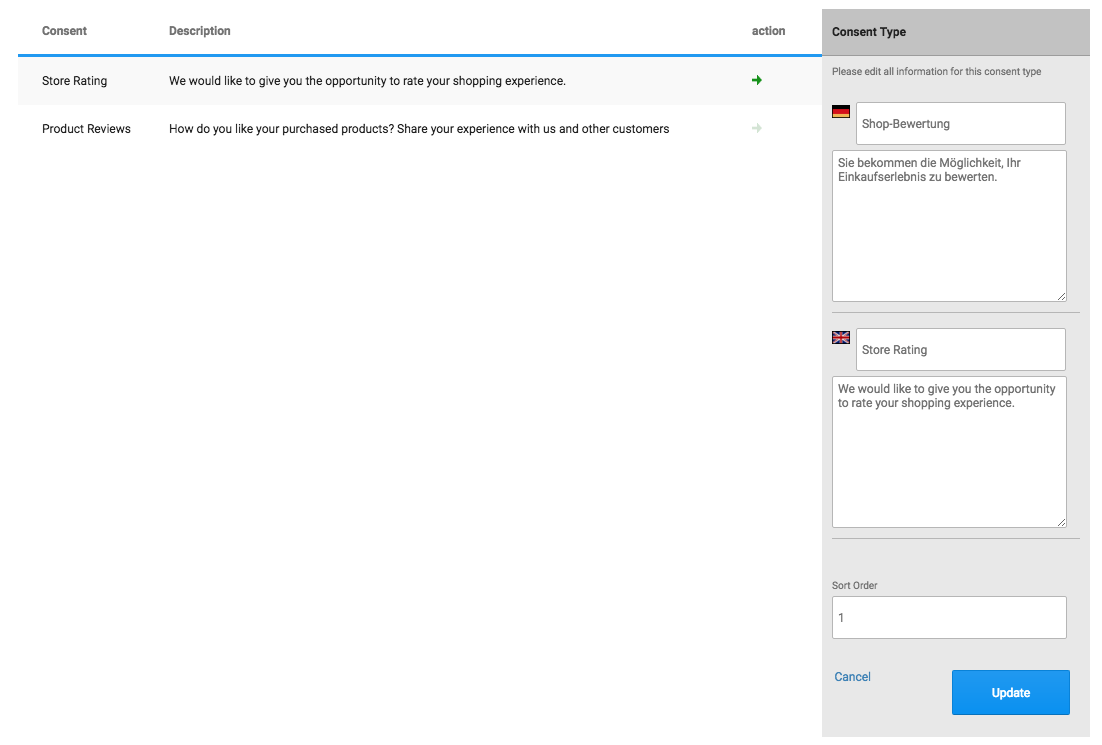
In MailBeez > Configuration > GDPR Consent you can edit the types of GDPR consents. By default you will find a consent for Store ratings and a consent for product ratings.
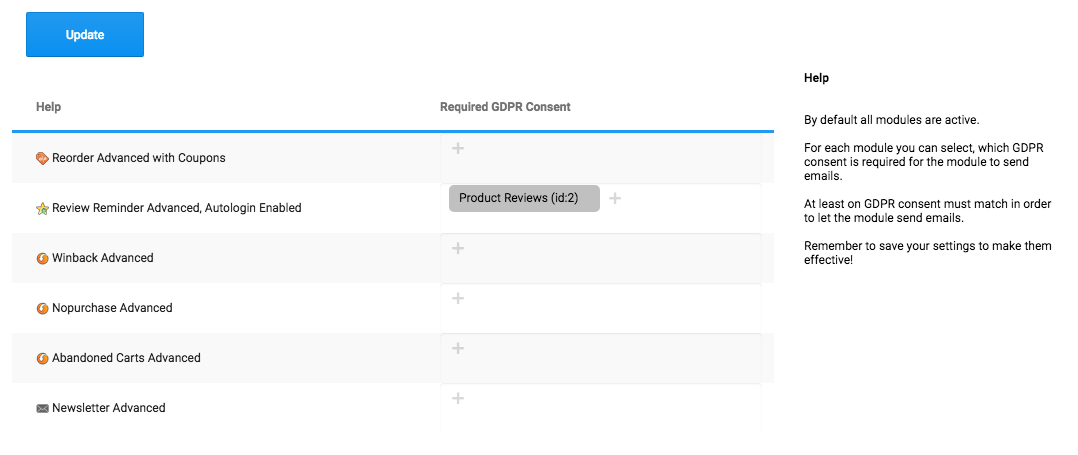
In MailBeez > Filter & Helpers > GDPR Consent Check you can configure for each module, which consent must be given in order to send an email.
Consent form integration
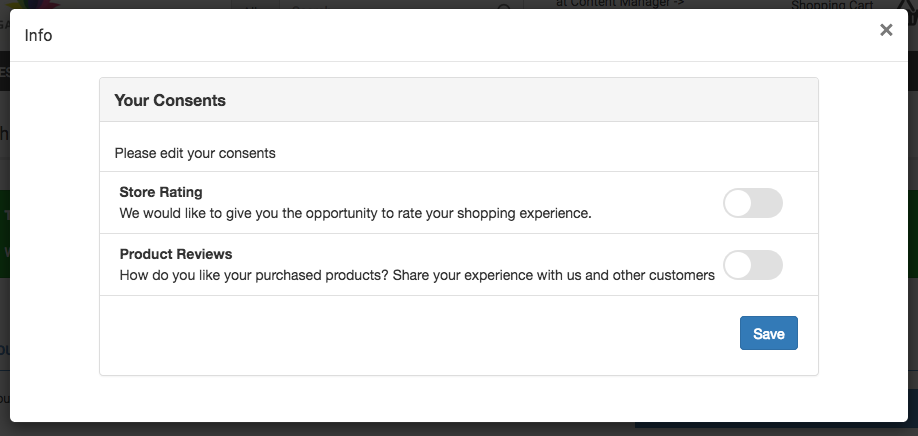
The order confirmation page is a great place to ask the customer for consent to follow up. You can place a button there, which links to the consent confirmation page.
The following screenshot shows an example who to integrate the configuration page using an iframe into a lightbox popup:
The following code example shows how to generate the URL to the configuration page
include_once(<YOUR_PATH> . 'mailhive/configbeez/config_gdpr_consent/includes/inc.gdpr_consent.php');

$template_cfg = 'myPage'; // /mailhive/configbeez/config_gdpr_consent/views/consent/templates/myPage.tpl.html
$tmpl_vars = array('mySetting' => 'Hey'); // can be used as {$mySetting} in myPage
$set_consent_type_id = 1; // with visiting the url this consent is automatically given and stored - use with care!

$url = mh_gdpr_render_configuration::get_consent_configuration_url(array(
    'customer_id' => $customer_id,
    'email_address' => $email_address,
    'cfg_template' => $template_cfg,
    'cfg_data' => $tmpl_vars,
    'set_consent_type_id' => $set_consent_type_id));
Check if consent is missing
if (mh_gdpr_consent::checkMissingConsent($customer_id)) {
    // at least one consent is missing
    // output button
}
Custom configuration page
The default template file is located in
/mailhive/configbeez/config_gdpr_consent/views/consent/templates/default_consent_configuration.tpl.html
This file will be overwritten (as with all default_ files ) with any MailBeez update. For creating a custom template please copy this file and rename to consent_configuration.tpl.html by removing the default_ prefix
You find more information how to customize this template in the template code.
Email Template Placeholder
The placeholder
[[$gdpr_configuration]]
returns the custom url linking to the configuration page of the current customer.
Compatibility
-
 Gambio
GX2–GX5
Supported
-
 Modified Shop
1.x / 2.x / 3.x
Supported
-
 Zen Cart
1.3.x / 1.5.x / 2.x
Supported
-
osCommerce 2.xSupported
-
MailBeez.io API V2Supported