MailBeez Analytics Advanced
Trace a change in the earlier reports to the email or module behind it
To compare sends, opens and clicks in V5, open Email performance. Browse the legacy reference.
Find the email or module behind a change in the historical report. Choose the dates first, then inspect a narrower selection. The chart shows orders attributed to email activity.
An attributed order is an order the report linked to email activity. To compare two campaigns, use the same dates and the same interpretation of that link for both.
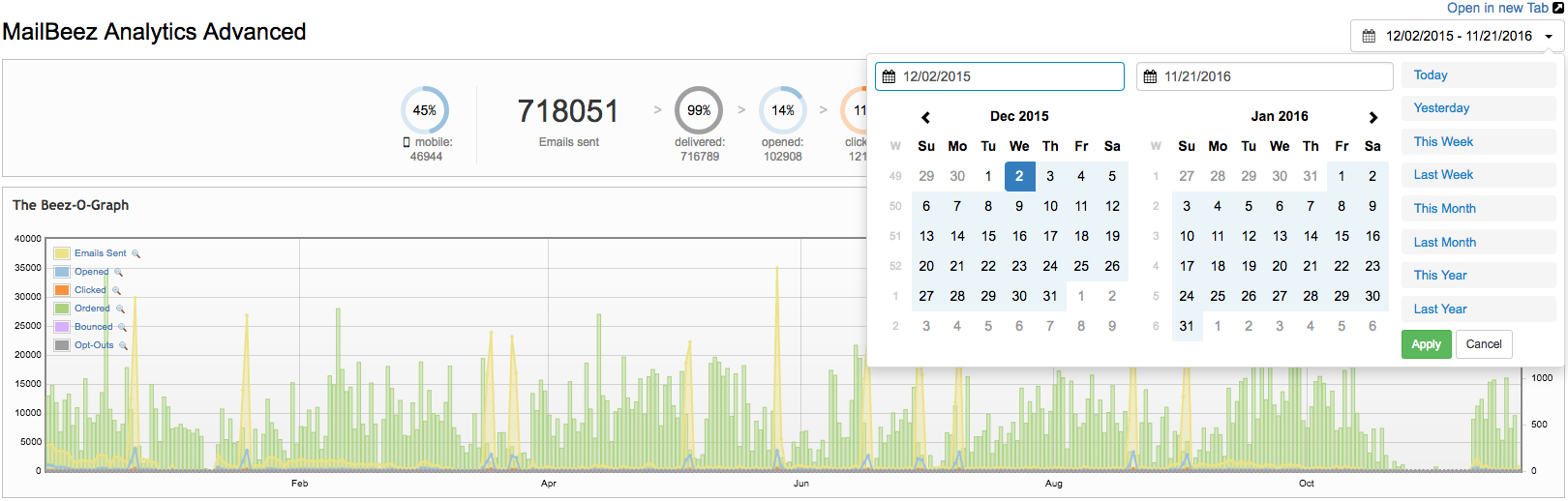
Date Picker
Choose a preset or a custom period from a single day to all available records. Keep that period selected when comparing modules.
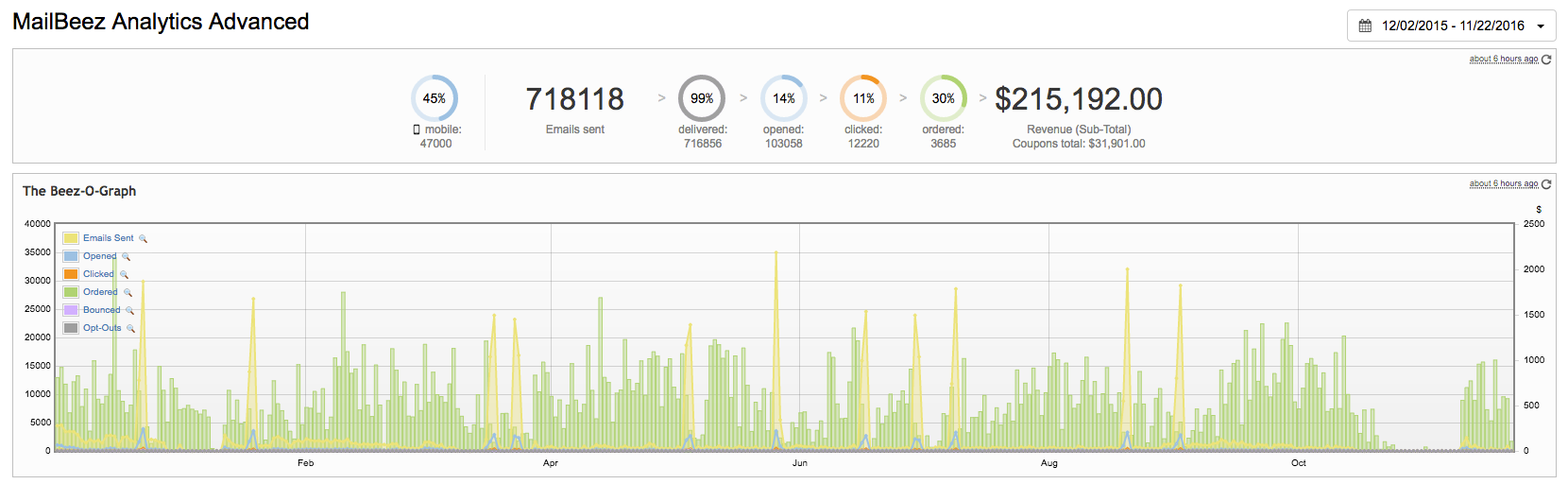
Beez-O-Graph
Compare daily sends, recorded opens, clicks, linked orders and opt-outs. Select a module or message to narrow the chart. Open a matching entry in Customer Insight to inspect the message or order.
Leaderboard
Check which content ranks highest for the selected measure and filters. Changing the period or module can change the ranking.

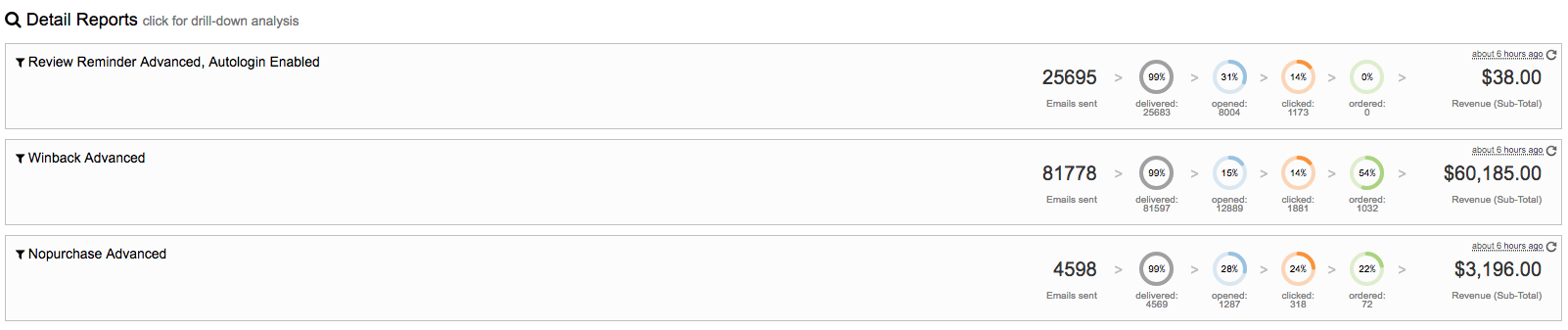
Detail Reports
Select a chart segment to filter the report. Select it again to remove the filter. Compare sends, opens, mobile opens, clicks or orders for the email type and dates you need.
Refresh
Refresh the individual graph or dashboard when you need its latest recorded figures.
Compatibility
-
 Gambio
Supported
-
GambioCloud
Supported
-
 Modified-Shop
Supported
-
 Zen Cart
Supported
-
 Shopify
Unconfirmed
-
 WooCommerce
Unconfirmed
-
 JTL-Shop
Unconfirmed
-
 Shopware
Unconfirmed
Shopify, WooCommerce, JTL-Shop and Shopware share one hosted feature set. Ask MailBeez Services about connector availability. Compatibility
Changelog
v5.0
11.03.2026
- Improved
- MailBeez V5 support
v4.4.1
15.01.2024
- Improved
- PHP8.2 refactoring
v4.4.0
02.03.2023
- New
- revenue by mail
- opening in timeframe this year
- Improved
- PHP8 refactoring
v4.3.0
14.10.2022
- Improved
- PHP8 refactoring
v4.2.0
21.04.2020
- Improved
- PHP7.4 refactoring
- Support for 4.0 Core Framework
v4.1
07.12.2018
- Improved
- framework enhancements
v4.0
25.09.2018
- Improved
- PHP7.2 refactoring
- Upgrade to 4.0 Pro Framework
v2.52
01.11.2017
- Improved
- refactoring
v2.51
04.10.2017
- Improved
- server compatiblity app_path
- minor improvements
v2.5
14.11.2016
- Improved
- wording (english)
- button in reports section now opens in new tab
v2.4
07.10.2016
- Improved
- minor fixed
- supporting MailBeez framework updates
v2.3
27.09.2016
- Improved
- wording
- Bugfix
- level indent
v2.2
27.09.2016
- Improved
- popup integration
- open in new tab option
v2.1
27.09.2016
- Bugfix
- javascript handling of values with leading currency strings
- layout issues
v2.0
26.09.2016
- New
- initial public release
v1.9
26.09.2016
- New
- beta 1.9 release
v1.2
18.09.2016
- New
- beta 1.2 release
v1.1
18.09.2016
- New
- beta release
v1.0
12.09.2016
- New
- init