osCommerce 2.3.x
Check the version in your shop admin. For a different release, look under Installation or in the legacy reference.
Use the installer for osCommerce 2.3.x (original procedure for 2.3.1). The historical package specified PHP 5.3 or later.
Compare the example with your installed 2.3.x files before editing them. A customized admin menu can have extra entries that you will want to keep.
Tip
If not done yet please download and unzip the installer package (.zip) on your computer: Download
Copy the shop files
Copy catalog/admin/mailbeez.php into the shop’s admin directory. Copy catalog/mailhive/ and catalog/mailhive.php into the shop root alongside index.php.
Choose the admin integration
From 2.3.3, copy the admin plugin from the package to the matching shop path.
extra_files/extras_osc_233x/admin/includes/boxes/customers_mailbeez.php → admin/includes/boxes/customers_mailbeez.php
For the manual 2.3.x menu entry, open admin/includes/boxes/tools.php.
Locate this fragment in the existing file.
array(
        'code' => FILENAME_WHOS_ONLINE,
        'title' => BOX_TOOLS_WHOS_ONLINE,
        'link' => tep_href_link(FILENAME_WHOS_ONLINE)
    )
Insert the following immediately after that line.
// mailbeez
     ,
     array(
         'code' => 'mailbeez.php',
         'title' => 'MailBeez',
         'link' => tep_href_link('mailbeez.php')
     )
     // - mailbeez
Run Installation
Just click on the new menu item to open the MailBeez Installer:
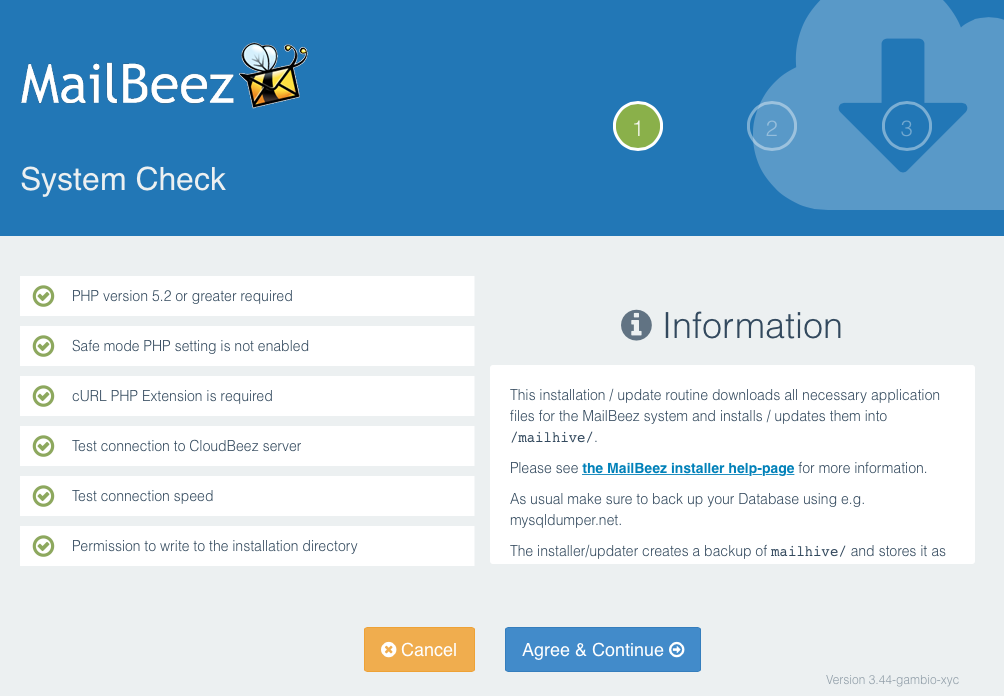
The installer guides you through the process and stops if there are any issues.