Build a product audience in Newsletter Advanced
A bicycle shop wants to offer replacement tyres to people who bought a touring bike. Someone who already bought the tyres should drop out of the audience. This example uses the earlier Newsletter Advanced list editor with product segmentation installed. For the current interface, see Lists and Segments.
- In Newsletter Advanced, open Edit Lists and create a list for subscribed shop customers. Name it Touring bikes without replacement tyres. Using a customer list gives you a purchase history to filter.
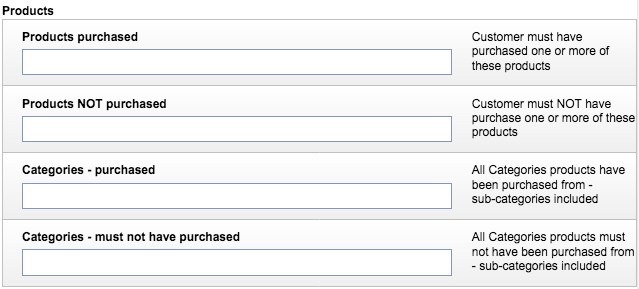
- Choose Edit Segmentation. Include the touring bike under Products purchased and exclude the replacement tyres under Products NOT purchased. To limit the offer to a region, add its countries or states. If you filter on the last order date, that date refers to the customer's last order, which may be later than the bicycle purchase.
- Save the rules and choose Test Segmentation. Check three subscribed customers. A bike buyer should appear. A buyer of both the bike and tyres should be absent, as should a buyer of tyres alone.
- Choose the tested list as the campaign’s default list. If an individual newsletter overrides that list, select this audience in the newsletter too. Send yourself a preview and check the link to the correct tyre size before releasing the mailing.