Zen Cart 1.5.x
Check the version in your shop admin. For a different release, look under Installation or in the legacy reference.
For Zen Cart 1.5.x, use the v4.xx integration package. It creates MailBeez’s own tables. The historical package for this shop release specified PHP 5.3+.
Tip
If not done yet please download and unzip the installer package (.zip) on your computer: Download
- Copy
catalog/admin/mailbeez.phpfrom the package into your shop’s admin directory. - Copy the
mailhivefolder andmailhive.phpfromcatalogto the shop root, alongsideindex.php. - Merge the contents of
extra_files/extra_zencart/zencart_1.5.x/admininto the shop’s admin directory. - Sign in to the Zen Cart admin, open Tools → MailBeez and choose Install.
Rewrite rules and email layout
In the shop’s .htaccess, add this condition immediately before the rule that sends all remaining requests to Zen Cart’s index.php.
RewriteCond %{REQUEST_URI} !^/mailhive [NC]
If Zen Cart wraps the message in a second email template, the historical installation offered two options. Configure SMTP in the MailBeez email system to bypass the Zen Cart mail function, or keep that function and apply the version-specific layout adjustment. For the latter, locate $email_html = zen_build_html_email_from_template($module, $block); in includes/functions/functions_email.php. Zen Cart adjustment for this release · Zen Cart FAQ.
Run Installation
Just click on the new menu item to open the MailBeez Installer:
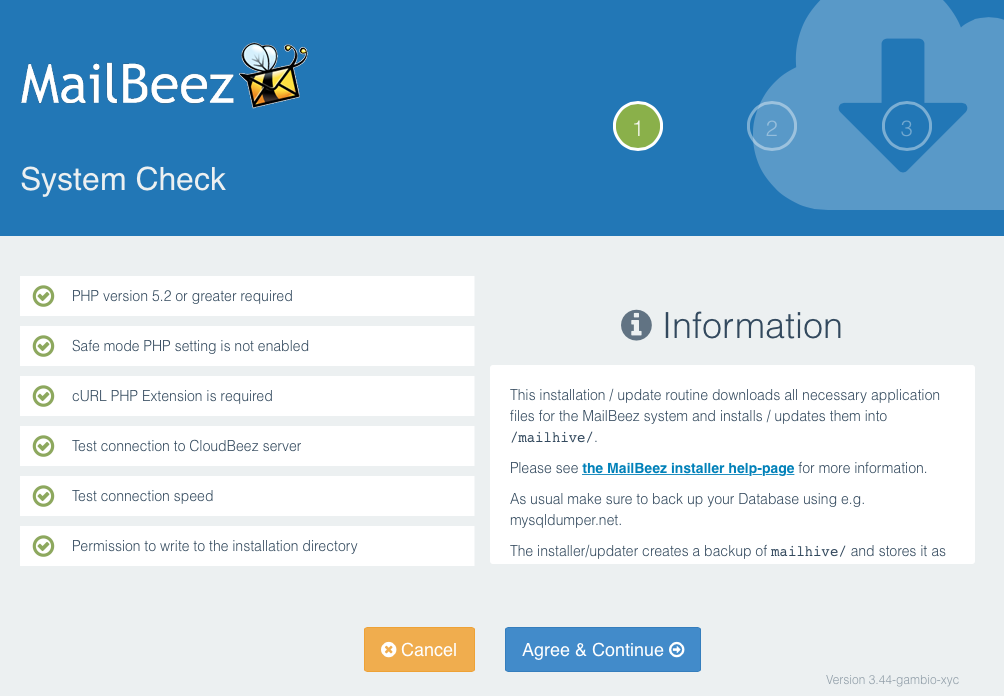
The installer guides you through the process and stops if there are any issues.